01
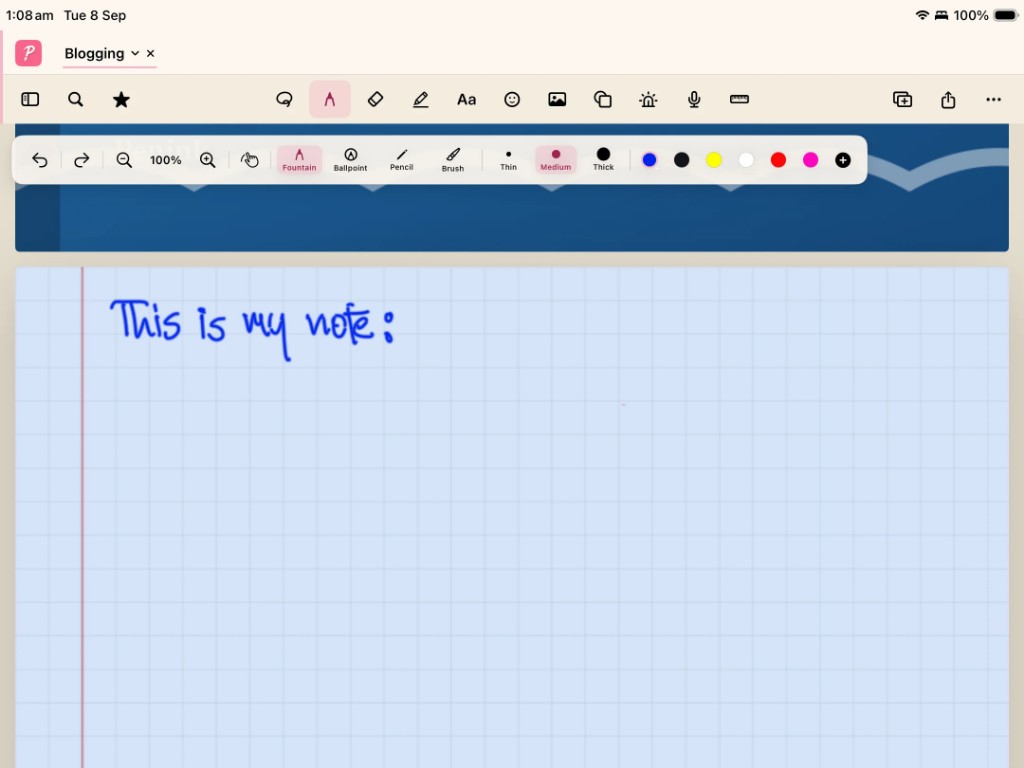
Write naturally
Handwriting with Apple Pencil or a compatible tablet stylus, plus typing when you need it.
Digital notebook for iPad & Android tablets
Write naturally. Organize notebooks, PDFs, and files with a familiar folder system. Find everything when you need it.


Built for tablets — not iPhone or Android phones.
01
Handwriting with Apple Pencil or a compatible tablet stylus, plus typing when you need it.
02
Folders inside folders. Notebooks, PDFs, and files together — the way a real workspace works.
03
Search your notes, handwriting, and documents instead of scrolling through an endless pile.
File organization
Penink uses an Explorer-style file system, similar to Windows File Explorer or Mac Finder. Create folders inside other folders. Keep notebooks, PDFs, notes, and files together however you want.
My Files
Like Finder & Explorer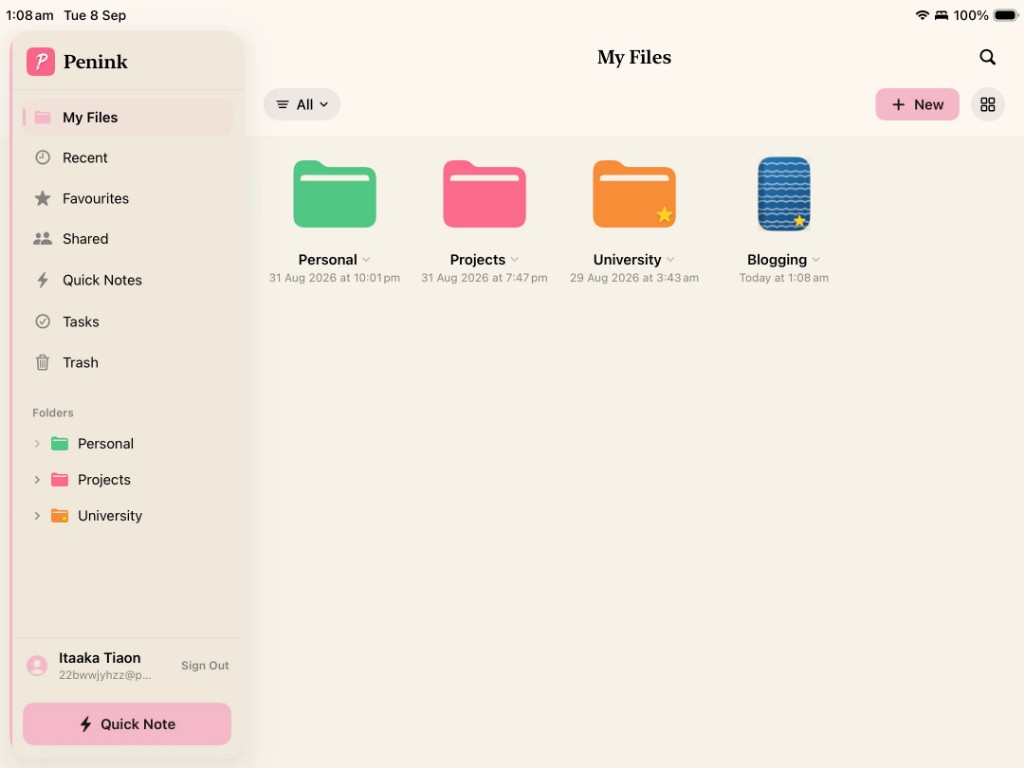
My Files on iPad — folders, notebooks, and favorites in a real file explorer.
Handwriting
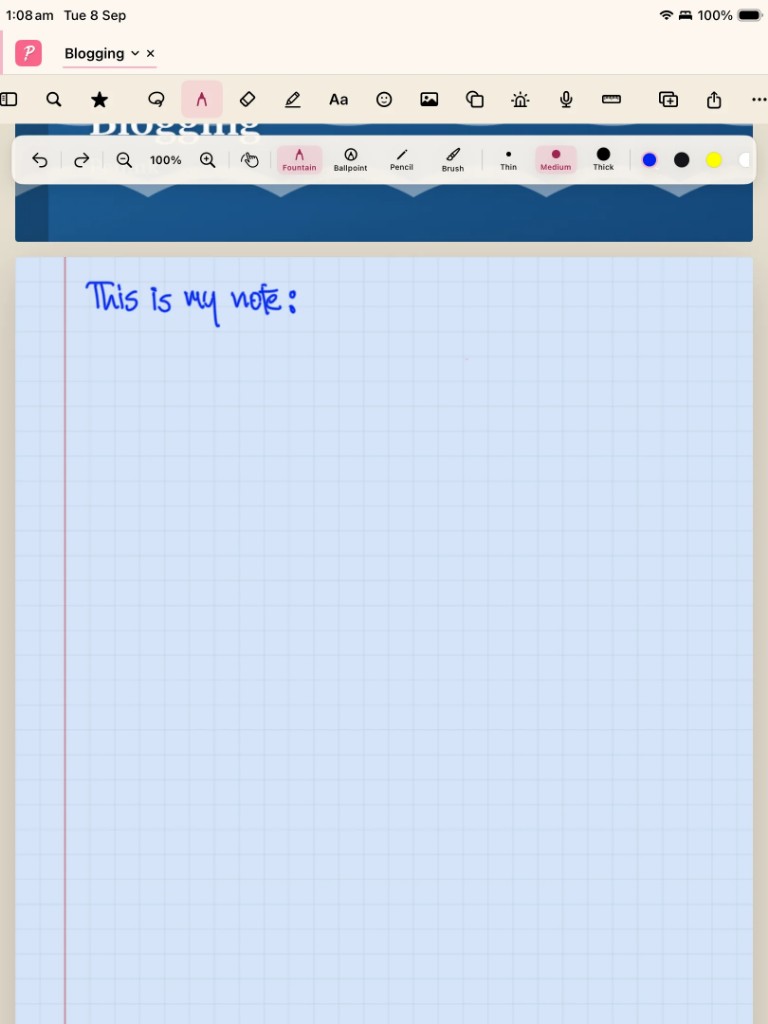
Writing should feel natural and simple. Use Apple Pencil on iPad, or a compatible stylus on an Android tablet. Fountain, ballpoint, pencil, and brush — with the stroke and colour you want.
Apple Pencil
Pressure, tilt, and palm rejection on iPad, in landscape or portrait.
Android tablet styluses
Built for the larger Android tablet screen — not a phone note app stretched up.
The Penink idea
Penink is a digital notebook and personal workspace designed specifically for iPad and Android tablets.
PDFs
Read a textbook, highlight a paper, and write in the margin — then keep that PDF in the same folder as the notebook you used while reading it.
PDF annotationPhotosynthesis
Plants convert light energy into chemical energy. Chlorophyll absorbs mostly blue and red wavelengths...
Light-dependent reactions occur in the thylakoid membrane.
Check lecture 02 diagram →
Tabs
Move between a notebook, a PDF, an assignment, and research without losing your place. Tabs are built for tablet work, not for a phone.
Open now
Biology Notes
Handwritten lecture from Tuesday. Next tab is the textbook PDF you were annotating.
Waiting in tabs
Split view
Students, researchers, and professionals can read and write at the same time. Split view is one of the reasons Penink is tablet-first.
Textbook
Page 142
Chapter 4 — Cell membranes
The phospholipid bilayer is selectively permeable. Proteins embedded in the membrane control what enters and leaves the cell.
Handwritten notes
Membranes — lecture 6
Selective permeability = not everything passes.
Ask: what do proteins do here?
Search
Search notebooks, handwriting, PDFs, and other files. When you have hundreds of notes, the folder system keeps them organized — search gets you back to a sentence.
How search worksHandwriting · Biology / Lecture 02
“…light reactions in the thylakoid membrane…”
PDF · Textbook.pdf
Chapter 8 heading: The thylakoid and stroma
Notebook · Exam revision
Flashcard: Where do light-dependent reactions occur?
Smart tools
Penink can summarize, explain, create flashcards, and find related information — from the notes and documents you already wrote. Handwriting and folders come first.
Get the shape of a lecture or meeting without rereading every page.
Ask Penink to walk through a section you wrote last week.
Turn existing notes into cards you can actually revise from.
Generate questions from your own material before an exam.
Surface connected pages, PDFs, and ideas across your folders.
Smart tools help you use your notes. They are not the product.
Use cases
Lectures, readings, and revision in folders that match your courses.
A year, a semester, a subject — nested the way your degree is nested.
Projects, clients, and documents without a single dumping-ground notebook.
Handwritten notes filed under the project they belong to.
PDFs, highlights, and handwritten thoughts in one explorer.
Weekly plans and personal notes beside the files they refer to.
Penink for
Lectures, textbooks, assignments, and exam revision — organized the way a semester actually works.
Penink for
Meetings, projects, research, and documents in one tablet workspace you can actually find later.
Penink for
Journals, plans, ideas, and everyday notes without dumping everything into one endless scroll.
Every feature
Write naturally with Apple Pencil or a compatible tablet stylus. Fountain, ballpoint, pencil, and brush — on paper that feels like paper.
Create folders inside folders. Keep notebooks, PDFs, and files together the way you already think about them — like Finder or File Explorer.
Read, highlight, and write on PDFs next to your notebooks. Textbooks, assignments, and research live in the same workspace.
Search notebooks, handwriting, PDFs, and files. Penink helps you get back to the sentence, lecture, or document you need.
Create flashcards and study questions from the notes you already wrote — useful before exams, not instead of writing.
Summarize, explain, and find related information in the notes and documents you already have. Smart tools sit beside handwriting — they don’t replace it.
Download
Available for iPad and Android tablets. Penink is not a phone app — it is built for the bigger screen.
Built for the bigger screen. Apple Pencil and compatible Android styluses.